

Mingle + Codex
Codex in every chat app.
On your own computer.
Bring the Codex coding agent on your machine into Slack, Discord, Telegram, WeChat, Feishu, GitHub and iMessage. One agent, one memory, parallel background tasks, and zero cloud server.
Quick start
Up and running in a minute.
- 1
Install Mingle locally
Download the desktop app or install from your terminal. Mingle automatically detects Codex on your machine (and can install, sign in to, or update it right from the console).
- 2
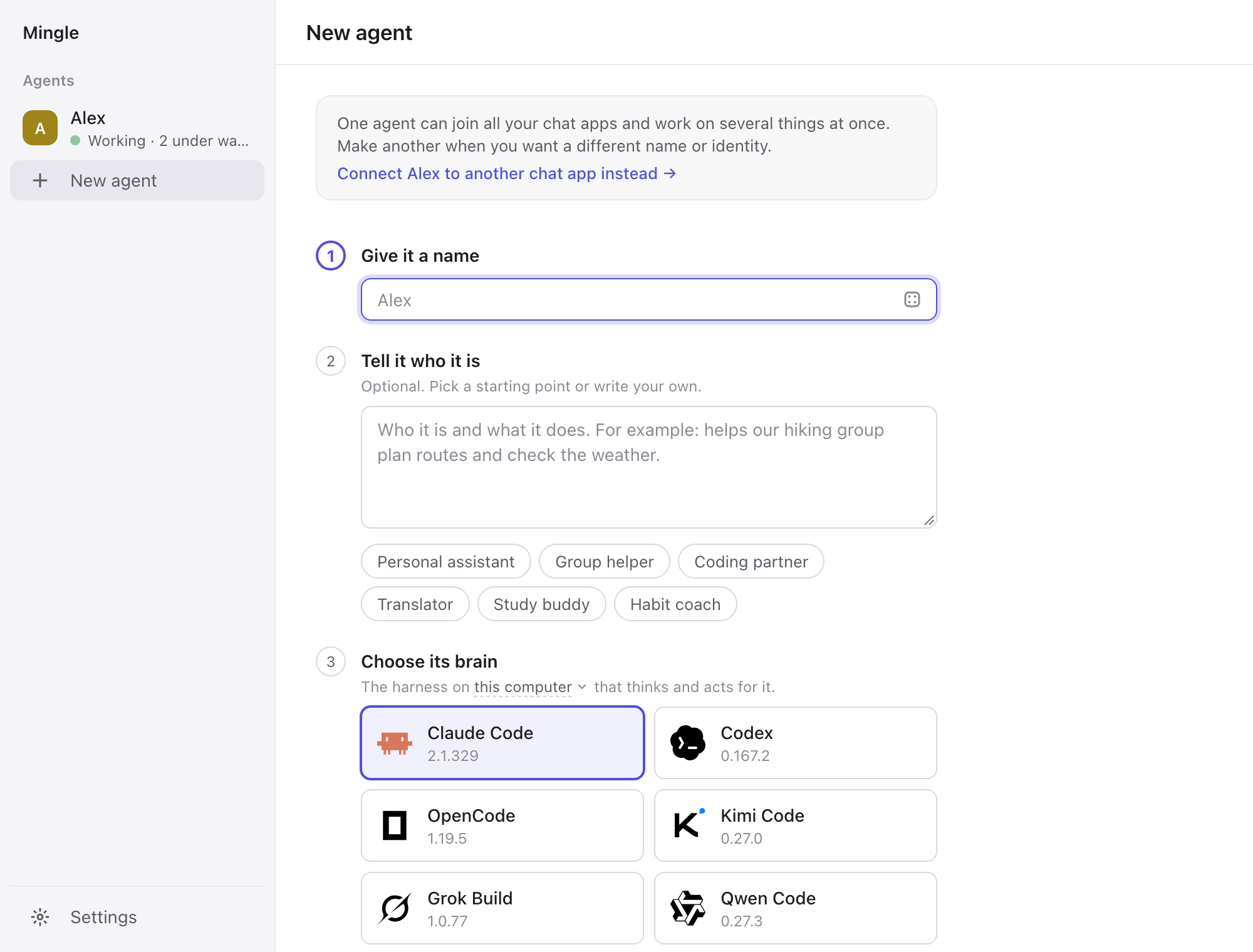
Create a Codex-powered agent
Pick Codex as the agent's brain, choose your model, and write a short role description. Memory stays in plain local files (ROLE.md, MEMORY.md, notes/).
- 3
Connect Slack, GitHub, Telegram, WeChat and more
Connect any combination of the 10 supported platforms over their official bot APIs—no public webhook, no VPS, and no ngrok needed.
mingle agent create --name Alex --harness codex --role "You review PRs and fix bugs in my workspace."Why Mingle
Your local Codex, always reachable in chat and GitHub PRs.
Uses your existing Codex sign-in or API key
Mingle drives your local Codex installation through OAR with zero extra model billing, and lets you see Codex quota right inside the console.
GitHub PRs + team chats in one memory
@-mention your Codex agent in a GitHub PR review thread and follow up in Slack, Discord or Telegram—it remembers both because it is one local agent.
Works on the side while answering fast
Kick off a longer coding task and Codex works in parallel (up to 3 tasks at once), posting live progress in threads while still answering quick questions immediately.
Local-first security by default
No Mingle server, no telemetry, local 127.0.0.1 console, OS Keychain credential storage, and owner approval before strangers on public bots can spend your quota.
Chat apps
Use it in every chat app you already have.
Connect one or more platforms to the same local agent—one long-lived session and one shared memory across all of them.
Questions
Common questions.
- Does Mingle work with my ChatGPT / Codex subscription or only an OpenAI API key?
- Both work. Mingle drives the Codex harness you already have signed in locally, whether authenticated via subscription or API key.
- Can I switch an agent between Codex and Claude Code later?
- Yes. Every agent's memory lives in plain local files (ROLE.md, MEMORY.md, notes/), and you can switch its harness or model in the console anytime.
- Can Codex respond to @mentions in GitHub issues and pull requests?
- Yes. Connect Mingle's GitHub channel using a dedicated GitHub account for the agent—Mingle polls notifications locally with ETag caching and only responds to repository owners, members and collaborators.
Other verified harnesses
Switch brains anytime.
Mingle supports 14 coding agent harnesses through OAR and lets each agent choose or change its harness and model anytime.



One agent. Every chat app.
Free and open source, on your own computer. For macOS, Windows and Linux.
See this release's notes for signing details and installation instructions. Release notes →